Here you can store all relevant financial data with your contact file. In the column “Classification”, you can assign the contact, quickly and easily and without much typing, to a specific area or a specific payment method, thanks to the pop-up fields. With the help of the pop-up window group, each contact can be filed into each contact group very easily. For instance they can be filed into the commercial, private or sun protection areas. You can set up the contents of the selection lists (pop-up fields) yourself in the Ingenious.V12 program settings. In the column “Accounting” you can, among other things, specify the currency and set two different work hour records for each individual contact. The column “Payment Method” gives you the possibility to define the payment behavior and also possibly a discount. This is done through the “BLOCKED” field where you can block a contact. You can also set limitations for possible outstanding payments with the field “Limit check” that will review for you. In the column, “Dunning”, you can determine after how many days the first, second and third payment, and also which collection fees and default interest, are due. In the “Bank details” column, the basic data for charges or transfers are available.
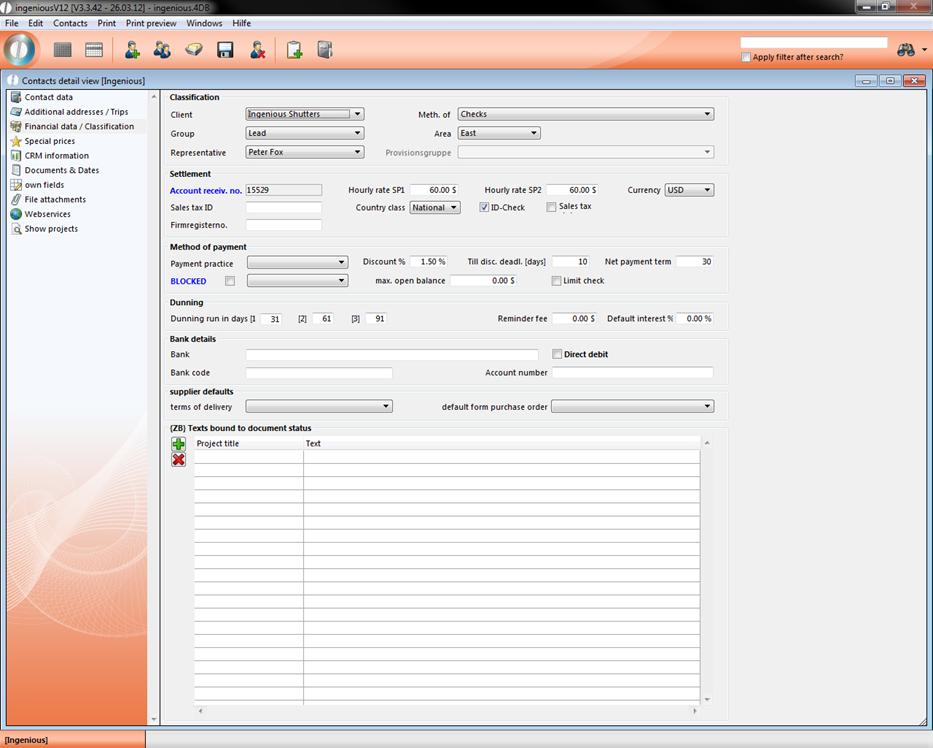
Sales tax entry
You are able to store the sales tax directly at a contact. The corresponding setting you find in the program settings in the category “Contacts”. Here you can choose between free sales tax entry, reduced or full sales tax rate and no sales tax entry (default). This will make it possible, that you can define the sales tax rate individually per contact (for instance for American contacts, where every state resp. land got an individual sales tax rate).
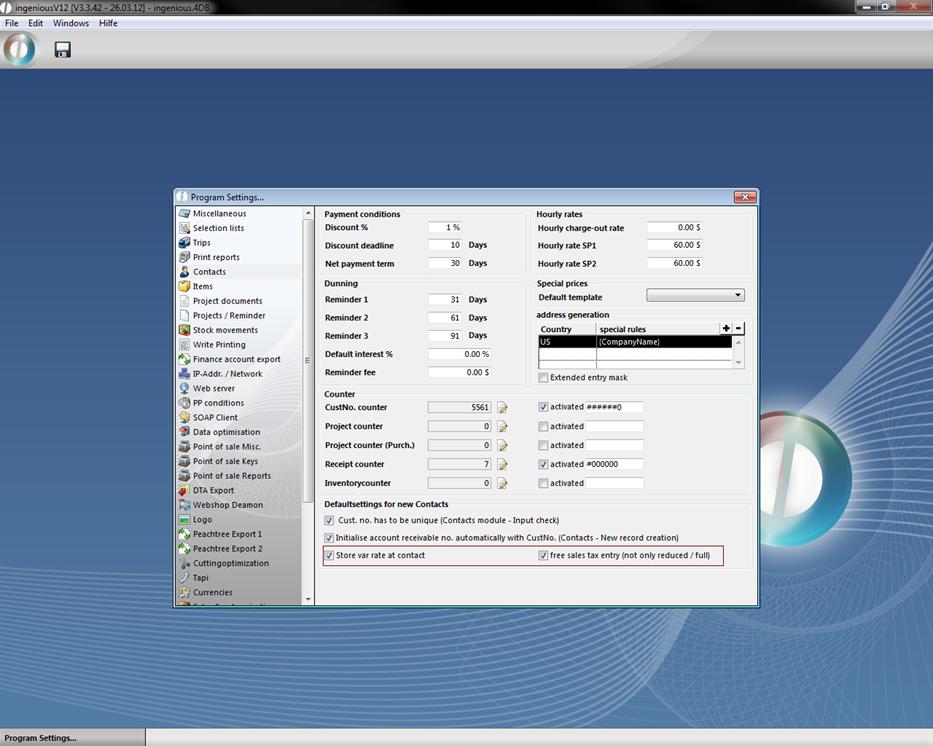
Settings for free input of the sales tax
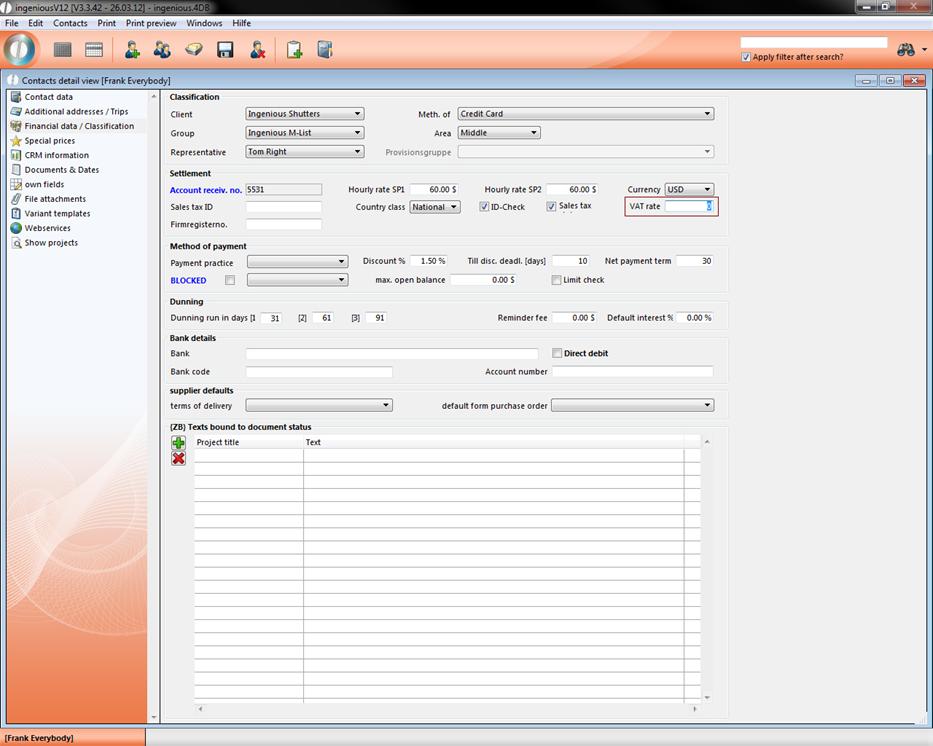
Free entry of the sales tax
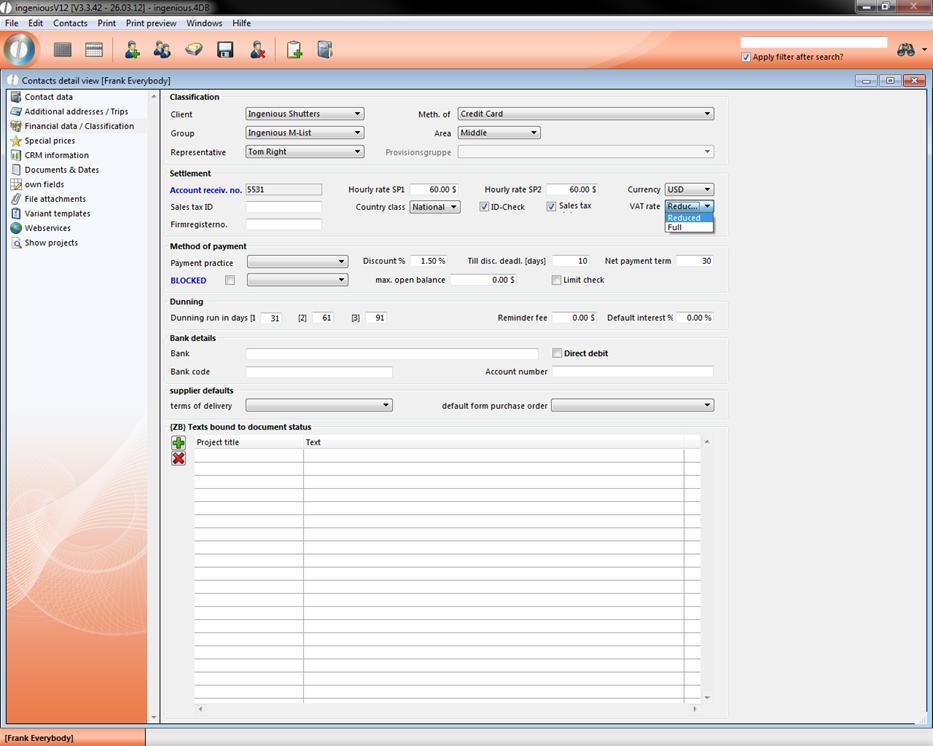
Choose between reduced and full sales tax rate